How Independent Contractors Should Bill for Mileage and Expenses
Learn when and how to bill clients for mileage and other project expenses. This guide covers setting contract terms, calculating mileage, and adding costs to your invoice correctly.

As an independent contractor, project-related costs are a fact of life, from fuel for client meetings to software needed for a specific task. The critical question is whether you should bill these costs directly to your client or absorb them as a business expense. Getting this wrong can eat into your profits or damage client trust.
Understanding the sharp distinction between billable "pass-through" costs and general overhead is the key to protecting your bottom line and maintaining a transparent, professional client relationship. This guide walks through exactly how and when to bill for mileage and expenses.
Should You Bill Your Client for Mileage and Expenses?
It depends entirely on your contract. You should bill clients for direct, project-specific costs (also known as pass-through costs) that were agreed upon in advance. You should absorb your general overhead costs (the cost of being in business) and claim them as tax deductions instead.
The most common mistake contractors make is failing to distinguish between two fundamental types of expenses:
- Billable Expenses (or Reimbursable Expenses): These are costs you incur only because of a specific client's project. If the project didn't exist, the expense wouldn't either. Examples include client-requested travel, project-specific materials, or a software license needed for their job alone. These are passed through to the client on your invoice.
- Overhead Costs: These are the general, ongoing expenses required to run your business, regardless of which client you are working for. This includes your home office setup, internet bill, marketing website, and professional insurance. These are never billed directly to clients; they are deducted from your business income on your Schedule C tax form.
Billing a client for your general overhead is unprofessional and a serious breach of trust. These costs should be factored into your pricing structure (e.g., your hourly rate or project fee), not itemized on an invoice.
To Bill Separately or Use an All-Inclusive Rate?
You have two main strategies for handling project costs:
- Separate Billing (Cost-Plus): You charge a fee for your services plus a separate line item for each reimbursable expense. This is transparent and ensures you are covered for every direct cost. It is the standard for projects with variable and unpredictable expenses, like travel or materials.
- All-Inclusive Rate (Fixed-Fee): You estimate all potential project expenses beforehand and bake them into a single, flat project fee. This is simpler for the client but carries risk for you. If you underestimate costs, you lose profit. This model works best for highly predictable projects where you have historical data on expenses.
For most independent contractors, a hybrid approach works best: charge a fixed fee or hourly rate for your services and bill separately for pre-approved, variable expenses like travel.

How to Set Expense Billing Terms in Your Contract
Create a "Reimbursable Expenses" clause in your contract that explicitly lists what costs are billable, if they include a markup, and what documentation is required for reimbursement. A clear, upfront policy is your single best tool to prevent disputes and set professional boundaries.
Without a contractual clause, you have no authority to bill for any expense. A client can rightfully refuse to pay any cost not agreed to in writing. Your invoice is not a contract; the contract is what gives your invoice authority.
Anatomy of a Strong Expense Clause
Here is a sample contract clause you can adapt. It is comprehensive and designed to protect you from common issues.
VIII. Reimbursable Expenses.
A. General: The Client agrees to reimburse the Contractor for all pre-approved, project-specific expenses reasonably incurred in the performance of the Services. All reimbursable expenses will be billed to the Client at actual cost, with no markup.
B. Covered Expenses: Reimbursable expenses include, but are not limited to: (i) airfare, ground transportation, and lodging for any travel requested by the Client; (ii) project-specific materials and supplies; (iii) software subscriptions or licenses required exclusively for this project; and (iv) postage, courier, or printing fees for client-directed deliverables.
C. Mileage: Mileage incurred for project-related travel will be billed at the standard IRS business mileage rate in effect at the time of travel. A detailed mileage log will be provided.
D. Documentation: The Contractor will provide itemized receipts for all individual expenses exceeding $50. Expenses under $50 will be itemized but may not require a receipt.
E. Approval: All expenses exceeding $250 must be approved in writing (email sufficient) by the Client before they are incurred.
Negotiating the Clause
When a client reviews your contract, be prepared to explain why this clause is fair. Frame it as a way to keep their costs down. Explain that by billing variable expenses at cost, you don't have to inflate your project fee to cover potential "what if" scenarios, which ultimately saves them money on predictable projects.
How to Calculate Mileage for Invoicing
To invoice for mileage, you must multiply your business miles driven for the project by a per-mile rate agreed upon with your client. The simplest and most defensible method is to use the current IRS standard mileage rate as your benchmark.
The Internal Revenue Service (IRS) sets a standard rate to approximate the total cost of operating a vehicle, including fuel, maintenance, insurance, and depreciation. Using this official rate is transparent and non-arbitrary. For the second half of 2026, the rate is 76 cents per mile.
The Standard Rate vs. Actual Expenses
While you could track every single vehicle expense (gas, oil changes, a percentage of your insurance) and bill the client for their share, this method is complex and often leads to disputes. The standard mileage rate is a simplified, all-inclusive figure that is widely accepted in business. Unless you are operating a fleet of vehicles, the standard rate is almost always the best choice for client invoicing.
What Constitutes a Billable Mile?
Deductible mileage for your taxes and billable mileage for a client are not always the same.
- Billable Mileage: Travel directly required to fulfill a client project, as agreed upon in your contract. This typically includes:
- Travel to the client's office for a required meeting.
- Trips to a vendor or store to procure project-specific materials.
- Travel between multiple work sites for the same project.
- Non-Billable Mileage:
- Your regular commute from your home to your primary office or co-working space.
- Any travel not directly related to a specific client's project.
Example Calculation: You drive to a client's office for a required project kickoff meeting (20 miles round trip) and later in the week drive to a specialty print shop to oversee the production of their marketing materials (35 miles round trip).
Total Billable Miles: 20 + 35 = 55 miles
Invoice Line Item: 55 miles x $0.76/mile = $41.80
Maintaining a Compliant Mileage Log
For a mileage charge to be valid for both client billing and your own tax records, you must keep a contemporaneous log. Your log must include:
- The date of each trip.
- The purpose of the trip (e.g., "Client meeting," "Material pickup").
- The starting and ending locations.
- The total miles driven.
Using a GPS-enabled mileage tracking app is the easiest way to maintain a compliant log.

How to Add Mileage and Expenses to an Invoice
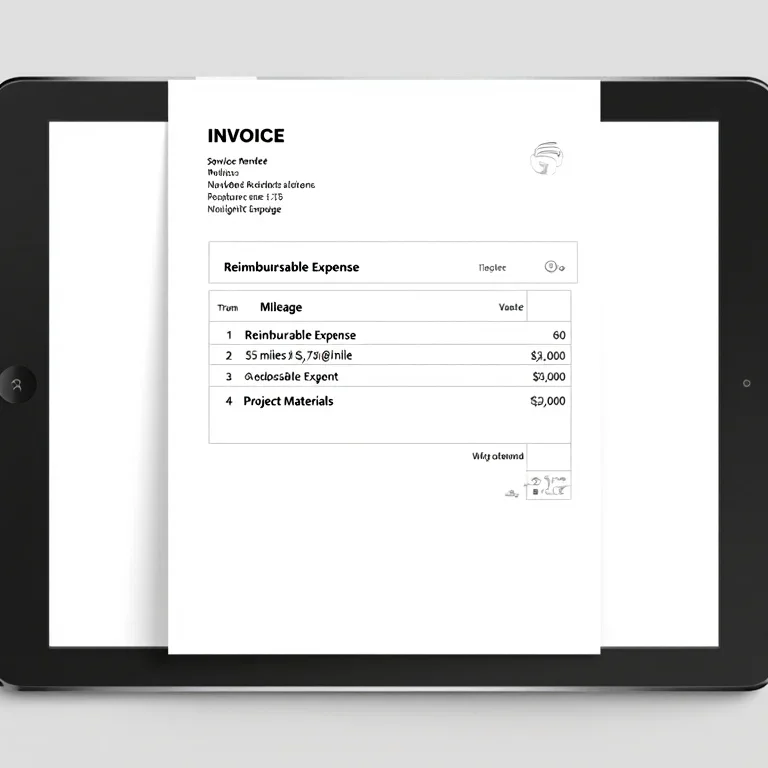
Always add billable expenses and mileage as separate, clearly labeled line items on your invoice. Attach digital copies of your receipts and mileage log as backup documentation. Transparency is the key to getting reimbursed quickly and without pushback.
Never bundle all costs into a single, vague "Expenses" line. The client's accounting department needs to see exactly what they are paying for to categorize it correctly. Your invoice should tell a clear story, separating the fee for your labor from the reimbursement for pass-through costs.
Step-by-Step Invoicing for Expenses:
- List Your Services First: The primary purpose of the invoice is to bill for your work. Detail your services and rates as you normally would.
- Create a "Reimbursable Expenses" Section: Below your services, add a new section with a clear heading.
- Itemize Each Expense: Create a new line item for each individual cost. For mileage, show the calculation (
55 miles @ $0.76/mile). For materials or software, list exactly what was purchased. - Reference a Receipt Number (Optional): For maximum clarity, you can number your receipts and reference the number on the invoice (e.g., "Premium Stock Photo License - Receipt #001").
- Calculate the Subtotal: Sum the cost of your services and all reimbursable expenses.
- Attach Documentation: Before sending, compile all relevant receipts and your mileage log into a single PDF or zip file. Name it clearly (e.g., "Receipts_Invoice_1045.pdf") and attach it to the email along with your invoice.
Tools for Tracking Billable Mileage and Expenses
Use dedicated apps and software to automatically track mileage, scan receipts, and categorize expenses, which dramatically simplifies both invoicing and tax preparation. Manual tracking with spreadsheets is prone to errors and lost receipts, leading to lost revenue.
Modern expense tracking tools offer features that are essential for a busy contractor:
- GPS Mileage Tracking: Apps like MileIQ or Hurdlr run in the background on your smartphone, automatically logging every drive. You can then classify each trip as business or personal with a swipe, generating an IRS-compliant log.
- Receipt Scanning and OCR: Tools like Expensify or a simple invoice generator allow you to take a photo of a receipt. The app uses Optical Character Recognition (OCR) to automatically extract the vendor, date, and amount, eliminating manual data entry.
- Categorization: Software helps you tag expenses as "billable" or "overhead" and assign them to specific clients or projects. When it's time to invoice, you can instantly pull up all billable expenses for that client.
- Integration: The best tools integrate directly with accounting software or invoicing platforms like createinvoices.net. This allows you to add tracked expenses and mileage to an invoice with a single click, ensuring no reimbursable cost is forgotten.
While a simple spreadsheet can work when you're starting, investing in a dedicated tool pays for itself by preventing lost receipts and ensuring you bill for 100% of the costs you are owed.
Handling Pushback and Disputed Charges
If a client disputes an expense, immediately refer back to the signed contract. If the expense is covered by your "Reimbursable Expenses" clause and you have provided the required documentation, politely hold your ground.
Disputes almost always stem from a lack of clarity at the beginning of the project. If you didn't get a cost pre-approved in writing as required by your contract, the client has a right to refuse payment.
Here’s how to respond to a dispute:
"Hi [Client Name],
Thanks for your question about the invoice. The charge for [Expense Name] is a project-specific cost that falls under Section VIII.B of our signed agreement. I've re-attached the receipt for your reference. Please let me know if you have any other questions."
If the dispute is for a cost you failed to get pre-approved, you may have to consider it a lesson learned and absorb the cost.
Tax Implications of Reimbursed Expenses
A reimbursed expense is not taxable income. When a client reimburses you for a cost, it is simply paying you back; it is not revenue. Likewise, you cannot claim a tax deduction for an expense that a client has reimbursed.
This is a critical accounting concept. Claiming a deduction for a reimbursed expense is illegal, as it would mean you are "double-dipping", getting paid back by the client and getting a tax break from the government for the same dollar.
Your accounting should be clear:
- Income: Your project fees and service charges.
- Reimbursements: Money received from clients for pass-through costs. This goes into a separate account or category and is not part of your gross income.
- Deductible Expenses: Your overhead and any unreimbursed, project-specific costs.
Final Thoughts
Billing for mileage and expenses is a standard and necessary practice for most independent contractors. It is not about nickel-and-diming your clients; it is about accurate project accounting. By establishing crystal-clear terms in your contract, meticulously tracking your costs, and itemizing them transparently on your invoices, you create a professional and frictionless process that protects your bottom line and builds long-term client trust.
Get Paid for Every Expense
Ready to create professional invoices that make billing for expenses simple? The createinvoices.net invoice generator lets you add distinct line items for mileage, materials, and more in just a few clicks. Create Your Invoice Now